
What this script sets up
install_php72_base_docker.sh is for hosts that already have Docker and need a simple PHP 7.2 runtime without hand-building the container configuration first.
It keeps PHP application files, php.ini overrides, and logs under /data/php7.2 so the important project state remains on the host while the runtime stays easy to rebuild.
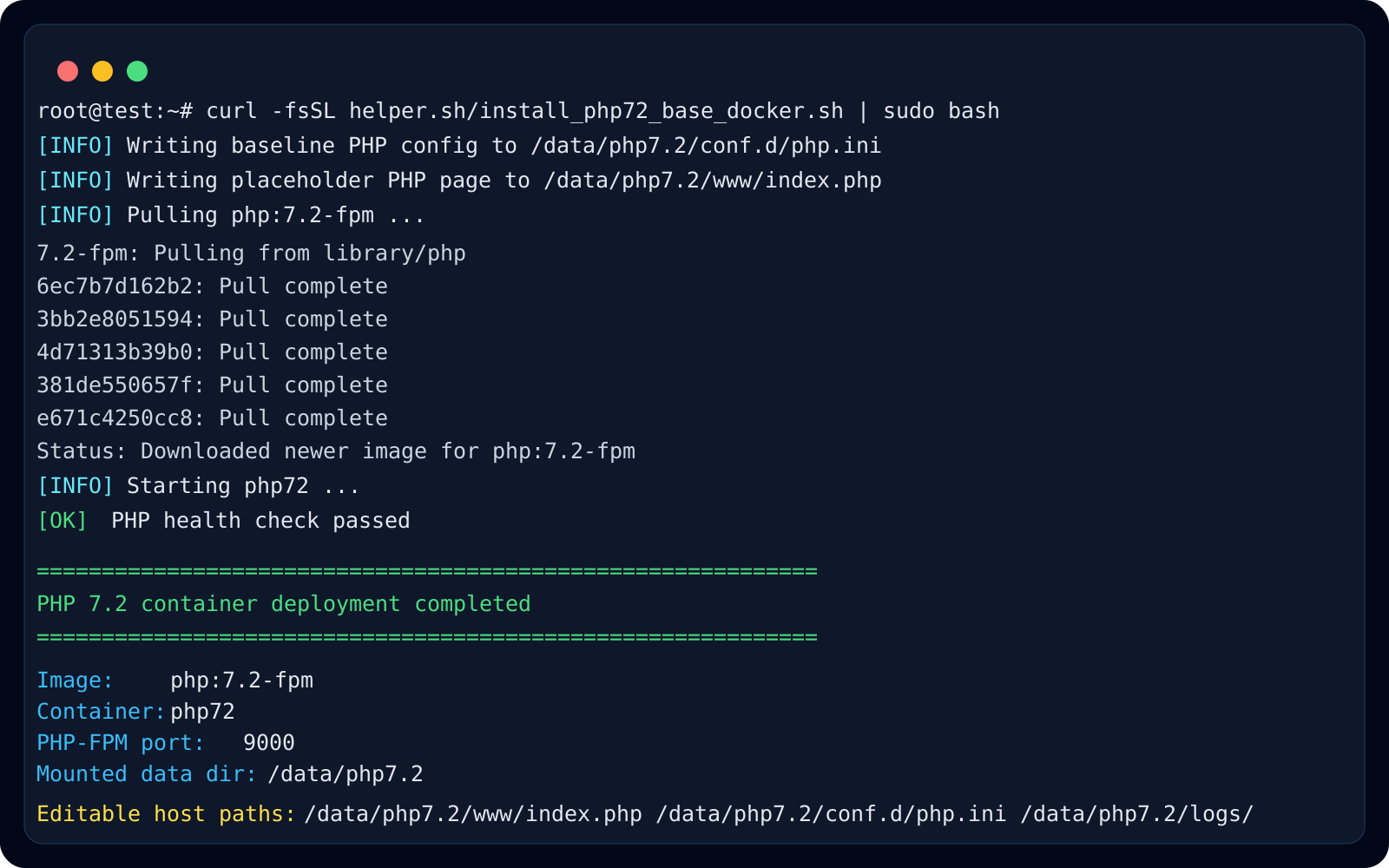
What it writes to /data/php7.2
The script creates www, conf.d, and logs directories, then writes a baseline php.ini and a placeholder index.php. This gives you a ready-to-edit runtime layout immediately after startup.
- /data/php7.2/www/index.php
- /data/php7.2/conf.d/php.ini
- /data/php7.2/logs/
Where this pattern fits best
This pattern is useful for legacy PHP applications that still depend on PHP 7.2, especially when you want to separate the runtime from the host package manager and keep the code mounted in a visible host path.
It also works well as an intermediate step before wiring Nginx in front, because the PHP-FPM container can be validated first and then connected to a web server later.
Recommended checks after deployment
After the script finishes, confirm that the container is running, port 9000 is mapped as expected, and php -v works inside the container. If you later serve this through Nginx, verify the PHP-FPM upstream before exposing it publicly.
- docker ps
- docker logs -f php72
- docker exec -it php72 php -v
- docker exec -it php72 php -m