
What this script does before installation
install_openvpn_client_ubuntu.sh is designed for Ubuntu 20.04, 22.04, and 24.04 LTS hosts that use an OpenVPN client profile with username/password authentication.
Before installing anything, it checks whether client.conf and login.txt exist in the current working directory. If either file is missing, the script stops immediately instead of half-installing a broken client setup.
How to prepare the local files
Put client.conf and login.txt in the same directory where you plan to run the helper.sh command. The installer copies them into /etc/openvpn/client/ and then enables the systemd client service.
Your sample client.conf format is compatible as-is: directives such as comp-lzo, cipher AES-256-GCM, auth none, remote-cert-tls server, replay-window, auth-user-pass login.txt, and an embedded <ca> block are preserved when the file is copied.
- ./client.conf
- ./login.txt
- /etc/openvpn/client/client.conf
- /etc/openvpn/client/login.txt
What the installer configures
The script installs the openvpn package, creates /etc/openvpn/client if needed, copies the client files, tightens file permissions, deploys /etc/openvpn/update-resolv-conf, enables openvpn-client@client, and restarts the service.
That makes it a better fit for handoff and repeat deployment than manually copying files and typing systemctl commands one host at a time.
How the DNS helper is applied
If a local ./update-resolv-conf is present next to the command, the installer copies that helper into place. Otherwise it writes a built-in /etc/openvpn/update-resolv-conf, makes it executable, and ensures client.conf contains script-security 2 plus up/down hooks that point to that helper.
When the VPN comes up, the helper rewrites /etc/resolv.conf to prefer 10.7.7.53 with 114.114.114.114 as a fallback and adds search reshub.cn. When the VPN goes down, it restores the public resolver entry.
- /etc/openvpn/update-resolv-conf
- script-security 2
- up /etc/openvpn/update-resolv-conf
- down /etc/openvpn/update-resolv-conf
- /var/log/openvpn-dns-update.log
- helper.sh/openvpn_update_resolv_conf.sh
Where the DNS values are defined
The installer does not invent DNS values on its own. If you provide update-resolv-conf, the values such as 10.7.7.53, 114.114.114.114, and reshub.cn are defined inside that helper script.
On Ubuntu hosts that use systemd-resolved, seeing 127.0.0.53 in /etc/resolv.conf is normal. In that case, a resolvectl-aware helper is the safer choice. helper.sh now also hosts a sample helper at helper.sh/openvpn_update_resolv_conf.sh that prefers resolvectl and falls back to writing /etc/resolv.conf only when needed.
Recommended checks after deployment
After the script finishes, confirm that the service is active, inspect the recent journal output, and verify that tun0 receives an address if the VPN profile connects successfully.
If you also provided update-resolv-conf, add DNS checks such as cat /etc/resolv.conf and dig to confirm that the helper is switching resolvers as expected.
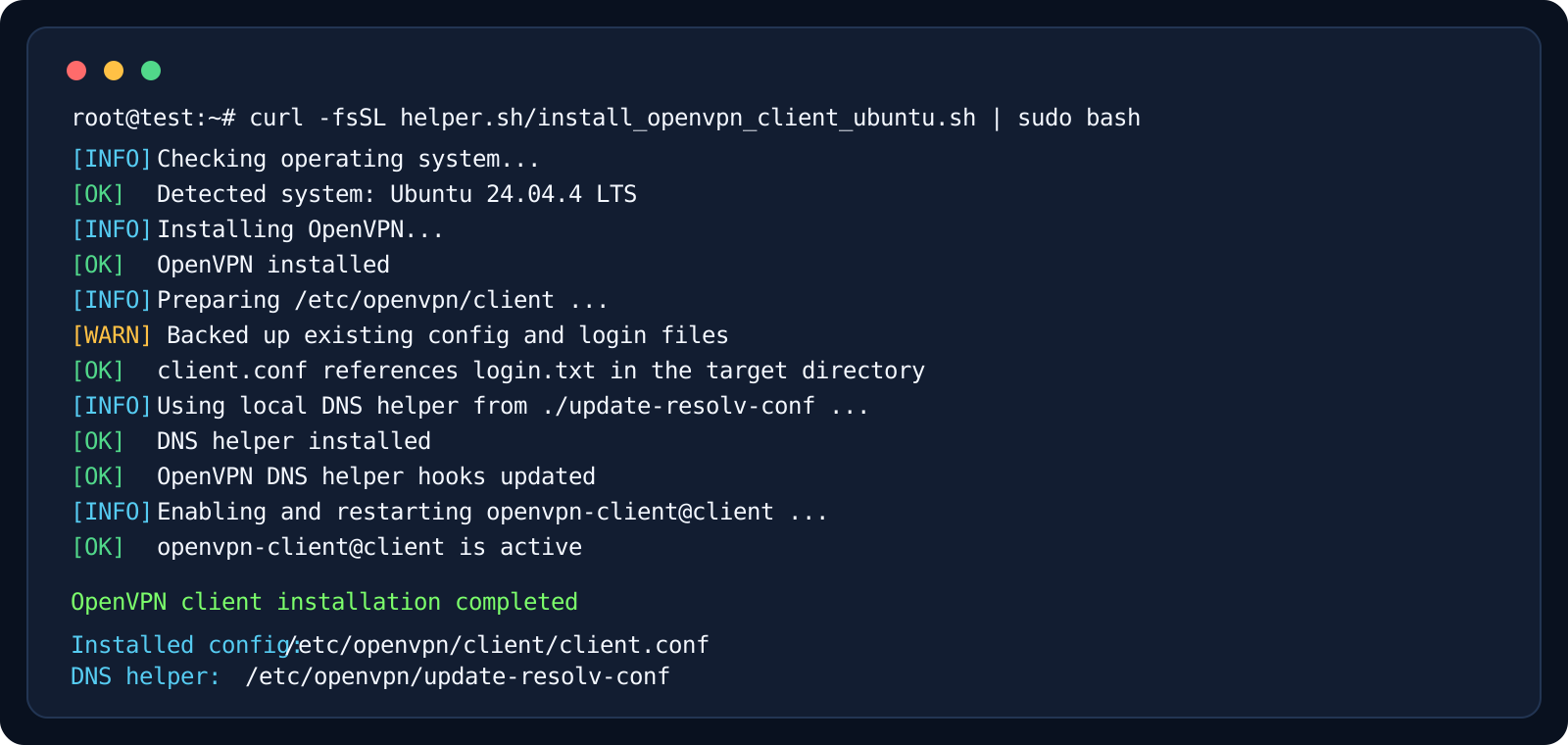
- systemctl status openvpn-client@client
- journalctl -u openvpn-client@client -n 100 --no-pager
- ip addr show tun0
- cat /etc/resolv.conf
- dig harbor.reshub.cn +short
- dig baidu.com +short
- systemctl restart openvpn-client@client