
What this script is for
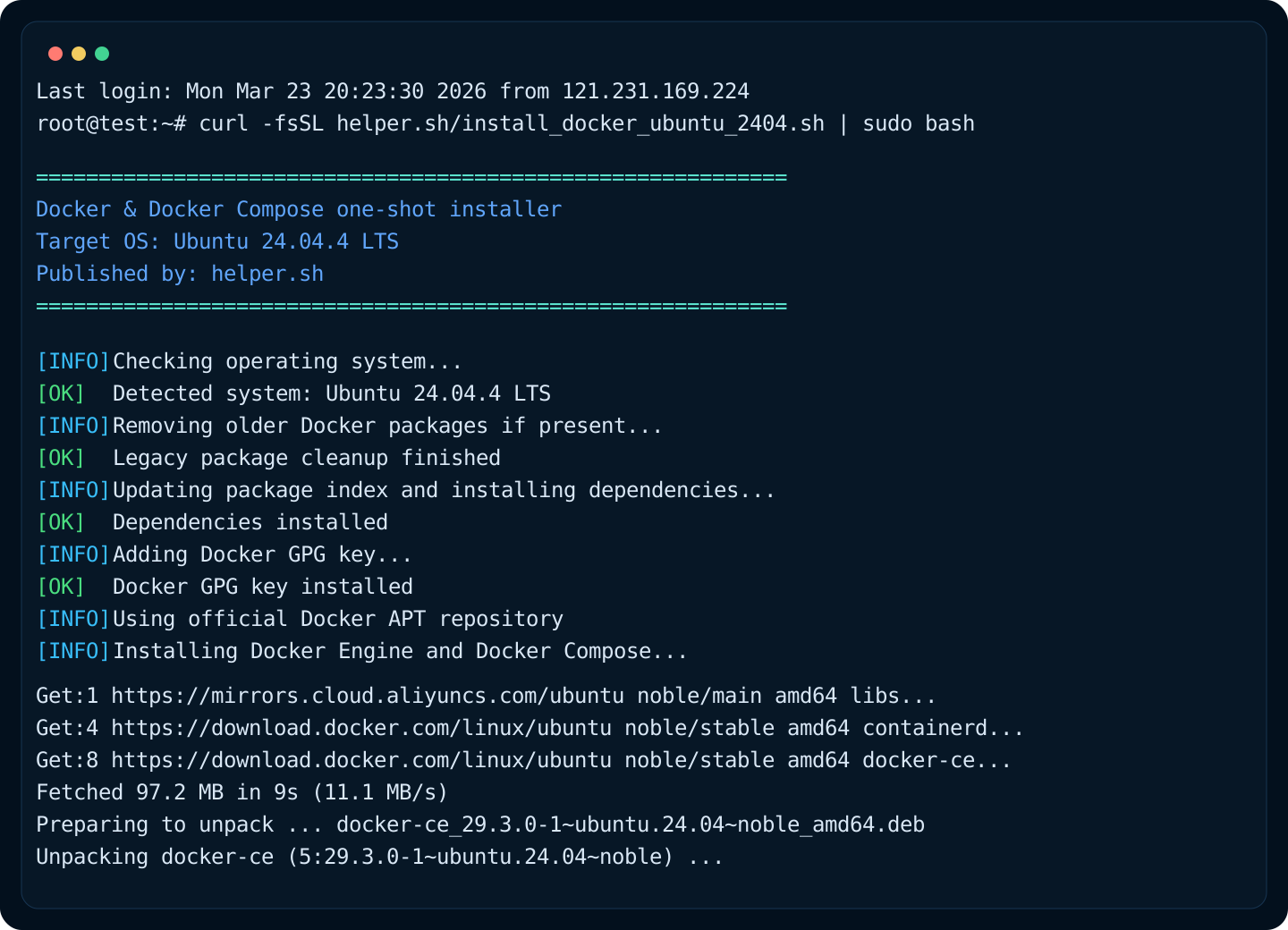
install_docker_ubuntu_2404.sh is designed for Ubuntu 24.04.4 LTS hosts that need a clean Docker Engine and Docker Compose installation path without manually repeating the official repository setup steps.
It is best used when you want a reviewed, curlable installer published through helper.sh, rather than a long checklist copied into a runbook or chat window.
What it changes on the host
The script removes older conflicting Docker packages, installs the Docker signing key and APT repository, installs Docker Engine plus the Compose plugin, writes a baseline /etc/docker/daemon.json, and restarts Docker.
For package installation, it prefers the official Docker Ubuntu repository first. If download.docker.com is unreachable, it falls back to the Aliyun Docker CE mirror automatically.
It also tries to add the invoking non-root user into the docker group so later Compose or docker commands do not need sudo after re-login.
- Removes docker.io and other legacy packages if present
- Uses the official Docker Ubuntu repository instead of older distro packages
- Runs docker --version, docker compose version, and hello-world validation at the end
How to use it safely in production-like environments
If the server already runs containers, treat this as a change operation rather than a casual bootstrap command. Review the script first, confirm whether /etc/docker/daemon.json already contains custom settings, and schedule a short maintenance window because Docker will restart.
If the server is brand new, the one-liner is usually enough. For stricter environments, download the raw file first, review it internally, and then execute it from local storage.
What happens when Docker Hub is unreachable
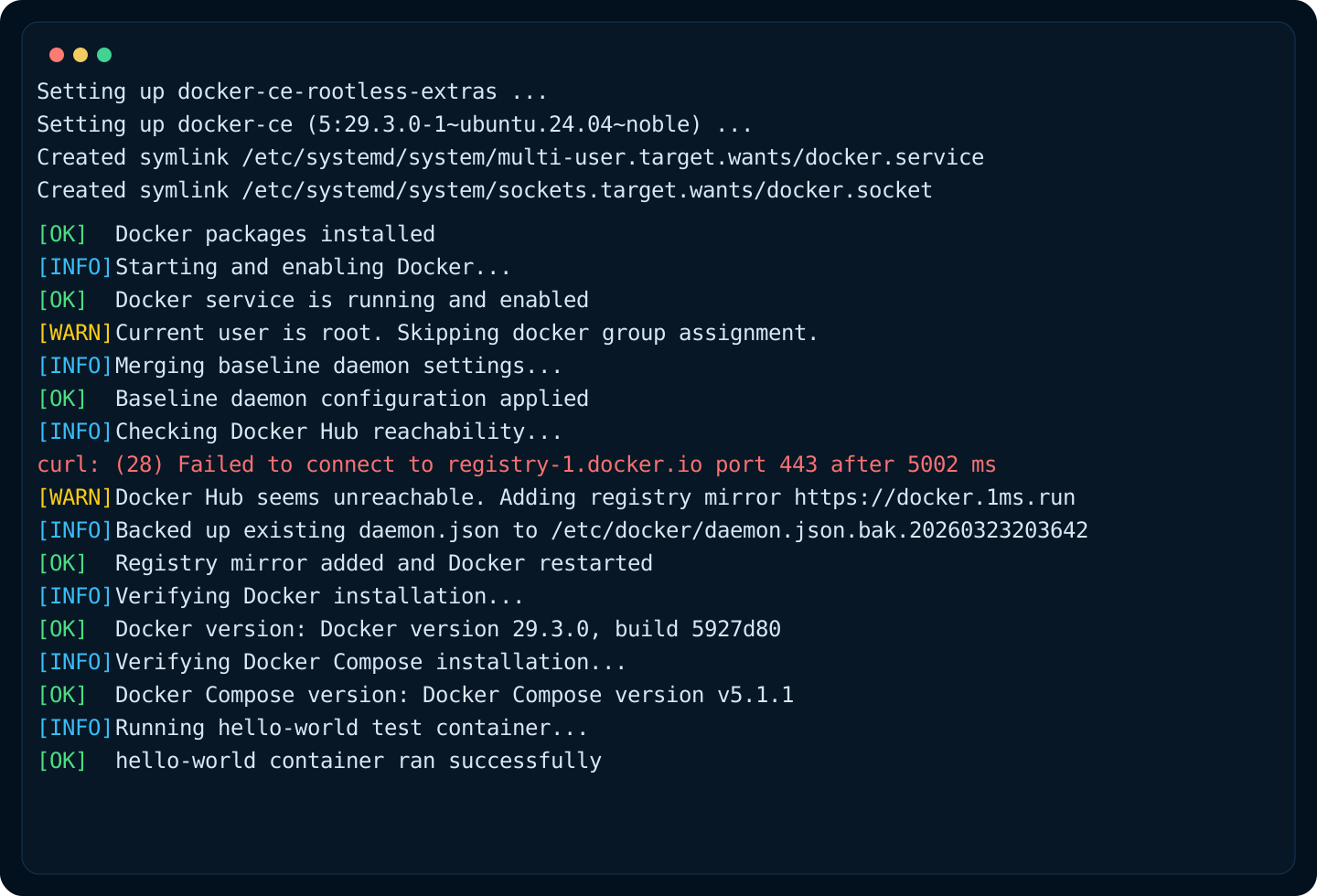
The script now checks whether the host can reach the Docker registry. If that connectivity check fails, it merges a registry mirror into /etc/docker/daemon.json instead of leaving the installation half-usable.
The mirror added by the script is https://docker.1ms.run. After writing that value into registry-mirrors, the script restarts Docker automatically and then retries the hello-world validation path.
- Works for fresh installs where daemon.json does not exist yet
- Also works when Docker is already installed but registry-mirrors is still missing
- Preserves existing daemon.json content by merging instead of blindly overwriting
Recommended verification after installation
After the script finishes, confirm both the version output and the service state. If a non-root user was added to the docker group, remember that the permission change does not apply to existing shells until re-login or newgrp docker.
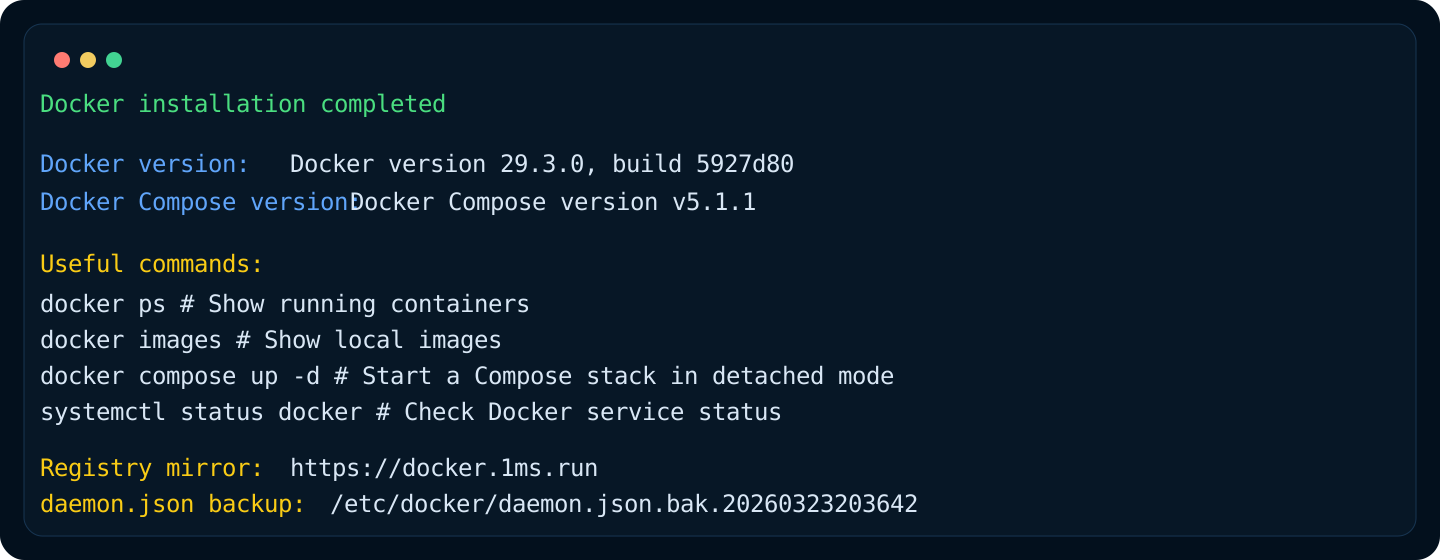
- Check docker --version
- Check docker compose version
- Check systemctl status docker
- Run docker run --rm hello-world again if you need a second validation