
The operational problem it solves
docker-data-move.sh is valuable when Docker has quietly grown until the root filesystem is almost full, but you still need a safe and repeatable migration path.
Instead of editing daemon.json and moving directories by hand under pressure, the script turns that migration into a more structured workflow with checks and backups.
Where it fits best
It works best on long-running hosts where Docker was originally installed onto the default root disk, but growth later forced the team to relocate the data-root.
- Single-node services where Docker data has outgrown the original disk
- Handoffs where you want a documented, repeatable migration procedure
- Teams that need a safer path than ad hoc rsync plus config edits
How to read the CentOS 7 output
In the sample output, Docker currently lives on /home/docker-data, that filesystem is almost full, and the script picked /data/docker-data automatically because it has enough free space.
The line starting with Syncing Docker data means the script is already in the rsync stage. At that point, the heavy work is copying layers, volumes, and metadata into the new location.
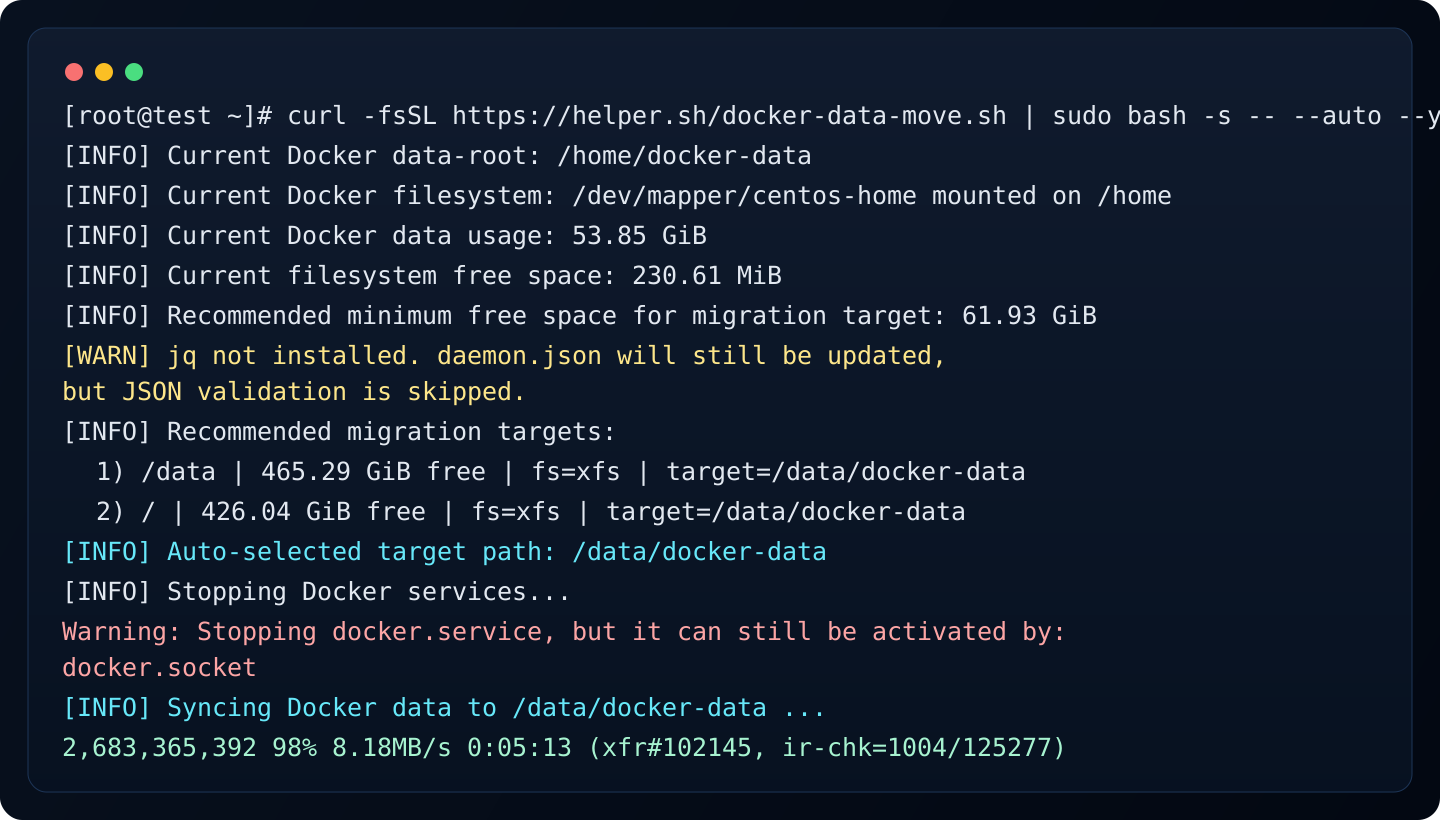
- Current Docker usage: 53.85 GiB
- Recommended minimum target free space: 61.93 GiB
- Chosen target: /data/docker-data
- The docker.socket warning is informational, not a failure
How much longer will it take
A line such as 99% at around 9.30MB/s usually means the copy is in the final stage, but the remaining time still depends on how many small files are left and how fast the disk can flush metadata.
For a host around 53.85 GiB in size, a run already near 99% normally suggests only a few more minutes, but on fragmented or busy disks it can still stretch longer than the percentage implies.
Recommended tutorial flow
If you are documenting this for operators, keep the steps explicit so they know what is happening before and after the copy stage.
- Check df -PT and docker info first
- Run curl -fsSL https://helper.sh/docker-data-move.sh | sudo bash -s -- --auto --yes
- Wait through the rsync stage without restarting Docker manually
- Verify docker info after restart and confirm the new Docker Root Dir